The web development landscape in 2026 demands speed, precision, and zero-friction workflows. Whether you are debugging a layout issue, optimizing a landing page for Core Web Vitals, or converting assets for a client delivery, the right tool can save hours. The problem is not a lack of options — it is the clutter. Too many tools require sign-ups, inject ads, or process your data on remote servers you cannot trust.
This guide cuts through the noise. We have tested, compared, and ranked the best free online tools for web developers in 2026 across the categories that matter most: code formatting, image optimization, color management, text processing, and utility conversion. Every tool listed runs in your browser, requires no installation, and respects your privacy. We also highlight where Toolversal stands out as an all-in-one platform that replaces multiple single-purpose tools.
What Makes a Developer Tool Worth Using in 2026?
Three criteria separate tools that save time from tools that waste it.
Privacy first. If the tool processes your code, images, or text on a remote server, your data is exposed. Client-side processing means nothing leaves your browser.
Customization over defaults. A tool that forces one indent size, one line width, or one output format creates more work than it solves. The best tools let you match your team's style guide.
Validation, not just formatting. Formatting makes code readable. Validation catches the errors that break production. A tool that only beautifies is half a tool.
Code Formatters and Validators
Clean, valid code is the foundation of every web project. These tools help you format, validate, and debug markup and stylesheets without leaving your browser.
HTML Formatter and Beautifier
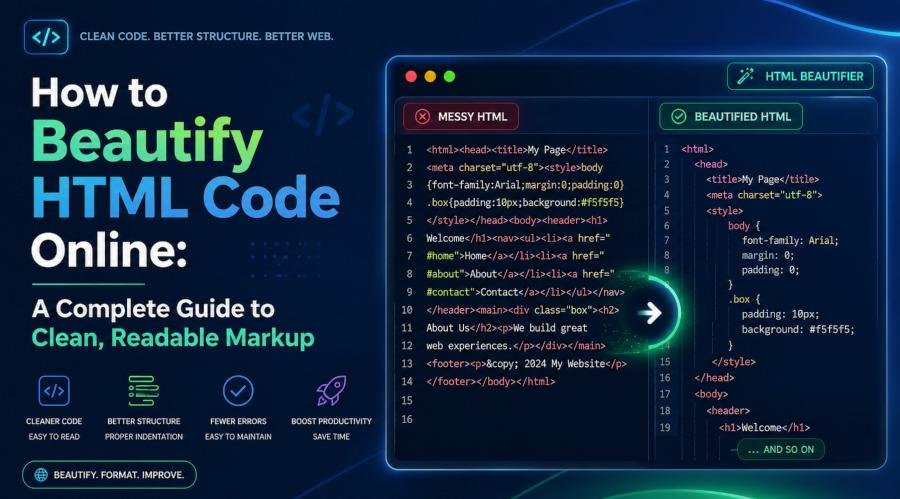
Minified HTML from production bundles, CMS exports, or email templates is unreadable. A good HTML formatter restores indentation, catches unclosed tags, and lets you preview output safely. Look for tools that process code client-side — your markup should never leave your machine if it contains proprietary logic or client data.
Alternatives:
| Tool | Privacy | Validation | Customization | Minify |
|---|---|---|---|---|
| CodeBeautify | Server-side | None | None | No |
| JSONFormatter.org | Server-side | None | None | Yes |
Neither matches Toolversal's privacy-first architecture.
Key takeaway: An HTML formatter is only useful if it validates, previews, and keeps your code on your machine. Toolversal does all three.
CSS Formatter and Minifier
CSS formatting tools restructure stylesheets for readability. Minifiers strip whitespace and comments for production. The best tools handle nested SCSS-like syntax, preserve vendor prefixes, and offer source map generation.
Alternatives:
| Tool | Privacy | Validation | Preview | Minify |
|---|---|---|---|---|
| CSS Beautifier (beautifytools.com) | Server-side | None | No | No |
| Clean CSS (cleancss.com) | Server-side | None | No | Yes |
Key takeaway: CSS tools must handle nested syntax and preserve vendor prefixes. Server-side options lack validation and preview.
JavaScript Formatter and Validator
JavaScript formatting tools use engines like Prettier or JS-Beautify to standardize indentation, quote style, and semicolon usage. Validators catch syntax errors that break execution.
Alternatives:
| Tool | Privacy | Validation | ES6+ Support |
|---|---|---|---|
| JSBeautifier.org | Client-side | Basic | Yes |
| Prettier Playground | Server-side | Yes | Yes |
JSON Formatter and Validator
API responses, configuration files, and data exports often arrive as compressed JSON. Formatting makes them readable; validation ensures they parse correctly.
Alternatives:
| Tool | Privacy | Validation | Tree View | Minify |
|---|---|---|---|---|
| JSONLint | Server-side | Yes | No | No |
| JSON Formatter (jsonformatter.org) | Server-side | Basic | No | Yes |
Image Optimization Tools
Images dominate page weight. Unoptimized assets slow load times, hurt SEO rankings, and frustrate users on mobile networks. These tools compress, convert, and resize images without visible quality loss.
Image Compressor
Lossy compression reduces file size by discarding imperceptible data. Lossless compression preserves every pixel. The best tools let you choose the tradeoff and compare before-and-after quality.
Image Converter
Different platforms demand different formats. WebP offers superior compression but is not universally supported. PNG preserves transparency. JPEG is the standard for photographs.
Image Resizer
Responsive design requires multiple image sizes. Serving a 4000-pixel-wide hero image to a mobile viewport wastes bandwidth and triggers layout shifts.
Color Tools for Designers and Developers
Color consistency across design systems, accessibility compliance, and brand guidelines requires precise color manipulation. These tools generate palettes, convert formats, and test contrast ratios.
Color Picker and Converter
Designers work in HEX, RGB, and HSL. Developers need CSS-ready strings. Converting between formats manually is error-prone.
Alternatives:
| Tool | Privacy | Image Extraction | CSS Export |
|---|---|---|---|
| ColorHexa | Server-side | Yes | No |
| HTML Color Codes | Server-side | No | Yes |
Key takeaway: A color tool must convert, extract, and export. Doing all three client-side eliminates round-trips.
Gradient Generator
CSS gradients replace heavy background images. Linear, radial, and conic gradients reduce HTTP requests and scale infinitely.
Alternatives:
| Tool | Privacy | Preset Save | CSS Variables |
|---|---|---|---|
| CSS Gradient (cssgradient.io) | Server-side | No | No |
| UI Gradients | Server-side | No | No |
Key takeaway: Gradient tools should export as CSS variables for design system integration. Preset saving avoids recreating common gradients.
Contrast Checker
WCAG 2.1 AA compliance requires a 4.5:1 contrast ratio for normal text and 3:1 for large text. Failing these ratios excludes visually impaired users and risks legal liability.
Alternatives:
| Tool | Privacy | Color Blindness Sim | WCAG AAA |
|---|---|---|---|
| WebAIM Contrast Checker | Server-side | No | No |
| Stark (paid) | Extension | Yes | Yes |
Key takeaway: Contrast checking must include color blindness simulation. Client-side tools avoid sending design data to external servers.
Text and String Utilities
Developers manipulate text constantly — cleaning data exports, generating slugs, encoding URLs, or formatting logs. These tools automate repetitive string operations.
Text Case Converter
Title case, sentence case, camelCase, snake_case, and kebab-case serve different contexts. Converting manually is tedious and inconsistent.
Alternatives:
| Tool | Privacy | Acronym Handling | Word Count |
|---|---|---|---|
| ConvertCase.net | Server-side | Basic | No |
| TextFixer | Server-side | No | No |
Key takeaway: Case conversion must handle acronyms correctly. Client-side processing avoids exposing text data.
Lorem Ipsum Generator
Placeholder text is essential for wireframes, mockups, and testing layouts with realistic content lengths.
<p>, <ul>, <strong>) into the output for direct paste into templates. A "realistic text" mode generates coherent placeholder copy instead of random Latin, which helps stakeholders evaluate layouts more accurately.Alternatives:
| Tool | Privacy | HTML Injection | Realistic Mode |
|---|---|---|---|
| Lipsum.com | Server-side | No | No |
| Fillerama | Server-side | No | Yes (pop culture) |
URL Encoder and Decoder
Special characters in URLs must be percent-encoded for safe transmission. Decoding is necessary when analyzing query strings or API parameters.
Alternatives:
| Tool | Privacy | Batch Mode | RFC 3986 |
|---|---|---|---|
| URL-encode-decode.com | Server-side | No | Yes |
| Meyerweb's Tool | Client-side | No | Yes |
Key takeaway: URL encoding must be RFC 3986 compliant. Batch mode is essential for cleaning data exports.
Password Generator
Strong, unique passwords are non-negotiable for API keys, database credentials, and admin accounts.
Alternatives:
| Tool | Privacy | Account Required | Entropy Display |
|---|---|---|---|
| LastPass Generator | Server-side | Yes | No |
| Norton Password Generator | Server-side | No | No |
Calculator and Conversion Tools
Quick calculations and unit conversions interrupt development flow when they require opening a separate app or searching for formulas.
Unit Converter
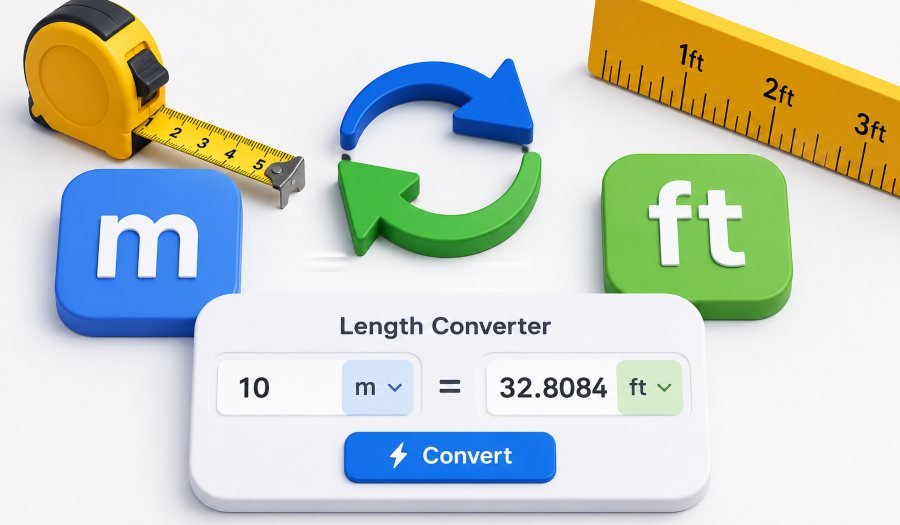
Responsive design, animation timing, and print layouts require conversions between pixels, ems, rems, percentages, points, and viewport units.
Alternatives:
| Tool | Privacy | CSS Units | History Log |
|---|---|---|---|
| RapidTables | Server-side | No | No |
| ConvertUnits.com | Server-side | No | No |
Percentage Calculator
Discount calculations, responsive scaling, and A/B test result analysis require quick percentage math.
Alternatives:
| Tool | Privacy | Reverse % | Decimal Control |
|---|---|---|---|
| Calculator.net | Server-side | Yes | Basic |
| Google Calculator | Server-side | Yes | No |
Age and Date Calculator
Content scheduling, cookie expiration, and cache TTL calculations require date arithmetic.
Alternatives:
| Tool | Privacy | Business Days | Leap Year Handling |
|---|---|---|---|
| Timeanddate.com | Server-side | Yes | Yes |
| DateCalculator.net | Server-side | No | Yes |
The Privacy Problem: Why Client-Side Processing Wins
Most free online tools process data on remote servers. This creates three risks:
| Risk | What It Means | Who It Hurts |
|---|---|---|
| Data exposure | Your code, images, or text may be logged, cached, or analyzed | Everyone |
| Compliance violations | Uploading client data to an unknown server may breach GDPR, HIPAA, or SOC 2 | Agencies, enterprises, freelancers |
| Latency | Server round-trips slow down batch operations, especially for large files | Anyone working with large assets |
Toolversal solves this by running all tools client-side. Code formatters use JavaScript parsing engines in your browser. Image compression applies algorithms locally via WebAssembly. Color tools manipulate pixels on a canvas element without upload. Your data never leaves your machine.
This matters most when handling:
- Proprietary HTML templates with embedded business logic.
- Client images under NDA.
- API keys or credentials in JSON configuration files.
- Medical or financial data in text exports.
The All-in-One Advantage: Why Toolversal Replaces Dozens of Single-Purpose Tools
Managing bookmarks for 15 different tools is inefficient. Each tool has its own interface, ad load, and privacy policy. Switching between tabs breaks focus.
| Advantage | What It Means in Practice |
|---|---|
| Unified keyboard shortcuts | Ctrl + Enter triggers formatting across HTML, CSS, JS, and JSON tools |
| Cross-tool workflows | Copy formatted HTML, switch to the image compressor, optimize assets, paste into live preview — all without leaving the site |
| Mobile responsiveness | All tools work on tablets and phones, essential for debugging on client devices |
| No bloat | Each tool loads only the code it needs. Total bundle size is smaller than five separate sites with their own analytics and ads |
How to Choose the Right Tool for Your Project
Use this decision matrix to match your immediate need to the best tool category.
| If You Need To... | Use This Category | Toolversal Tool | Why It Fits |
|---|---|---|---|
| Fix unreadable minified HTML | Code Formatter |
HTML Formatter
|
Client-side, validates, previews |
| Compress images for a landing page | Image Optimizer |
Image Compressor
|
Batch processing, no upload |
| Generate a brand color palette | Color Tool |
Color Picker
|
Extracts from images, exports CSS |
| Convert API response JSON to readable format | Code Formatter |
JSON Formatter
|
Tree view, validates syntax |
| Create placeholder text for a wireframe | Text Utility |
Lorem Ipsum Generator
|
HTML injection, realistic mode |
| Calculate responsive font sizes in rems | Calculator |
Unit Converter
|
CSS-specific units, base size adjust |
| Check WCAG contrast for accessibility | Color Tool |
Contrast Checker
|
Simulates color blindness |
| Encode query parameters for a URL | Text Utility |
URL Encoder
|
Batch mode, RFC 3986 compliant |
| Minify CSS for production deployment | Code Formatter |
CSS Formatter
|
Preserves syntax, shows savings |
| Generate a secure database password | Text Utility |
Password Generator
|
Cryptographically secure, no tracking |
| Resize images for srcset attributes | Image Tool |
Image Resizer
|
Aspect ratio control, batch mode |
| Convert image formats client-side | Image Tool |
Image Converter
|
Base64 support, no upload |
| Beautify JavaScript with validation | Code Formatter |
JS Formatter
|
ES6+ support, line references |
| Generate CSS gradients with vendor prefixes | Color Tool |
Gradient Generator
|
CSS variables export, presets |
| Convert text case with acronym handling | Text Utility |
Text Case Converter
|
Intelligent acronym handling |
| Calculate percentage increase or reverse | Calculator |
Percentage Calculator
|
Decimal precision, comma formatting |
| Compute business days between dates | Calculator |
Age Calculator
|
Excludes weekends, leap year aware |
Final Thoughts: Build Faster With the Right Toolkit
Web development in 2026 is competitive. Page speed, accessibility, and security are ranking factors, not afterthoughts. The tools you use should accelerate your workflow without introducing new risks — privacy breaches, inconsistent output, or workflow friction from tab-hopping.
The best free online tools for web developers share three traits: they run in the browser, they respect your data, and they handle real project scale. Single-purpose tools can solve individual problems, but an integrated platform eliminates the overhead of managing multiple sites, policies, and interfaces.
If you are ready to streamline your toolkit, explore Toolversal — the complete collection of free online tools for developers. From the HTML Formatter to the Image Compressor, from the Contrast Checkerto the Password Generator, every tool is private, fast, and designed for developers who ship. No installation. No sign-up. No compromises.