Whether you are building a bookshelf, planning a road trip, or reading a scientific paper, you will eventually need to convert meters to feet — or feet to meters — or inches to centimeters. The math is simple, but doing it manually every single time wastes precious minutes.
That is where a free online length converter changes everything.
Toolversal's Length Converter lets you switch between meters, feet, inches, centimeters, kilometers, miles, and dozens of other units in a single click. No signup. No ads. No sending your data to a server. Everything runs locally in your browser, which means your conversions are instant, private, and completely free forever.
How Many Feet Are in a Meter?
If you ever need to do the math yourself, here is the formula you need to memorize:
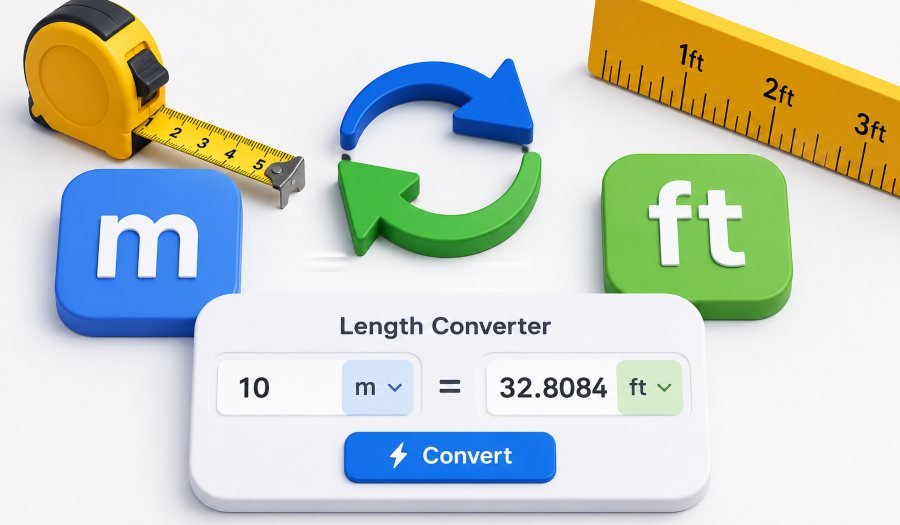
1 meter = 3.28084 feet
So to convert meters to feet, you simply multiply the number of meters by 3.28084.
Example:
5 meters × 3.28084 = 16.4042 feet
To go the other way — feet to meters — you divide by 3.28084.
Example:
10 feet ÷ 3.28084 = 3.048 meters
That is the entire formula. But honestly, why bother when a free tool does it for you in milliseconds?
Common Length Conversions You Will Use Every Day
Here is a quick reference table for the most common conversions people search for:
| From | To | Multiply By |
|---|---|---|
| 1 meter | feet | 3.28084 |
| 1 meter | inches | 39.3701 |
| 1 meter | centimeters | 100 |
| 1 meter | kilometers | 0.001 |
| 1 foot | meters | 0.3048 |
| 1 foot | inches | 12 |
| 1 foot | centimeters | 30.48 |
| 1 inch | centimeters | 2.54 |
| 1 inch | millimeters | 25.4 |
| 1 kilometer | miles | 0.621371 |
| 1 mile | kilometers | 1.60934 |
| 1 yard | meters | 0.9144 |
Bookmark this table or just use the Toolversal converter — it handles all of these automatically.
How to Use the Toolversal Length Converter (4 Steps)
The converter is designed to be dead simple. No account, no download, no waiting.
Step 1: Open the tool.
Go to https://toolversal.com/tools/length-converter in any browser — Chrome, Firefox, Safari, Edge, Opera. It works on desktop and mobile.
Step 2: Pick your units.
Select the unit you are converting from (like meters) and the unit you want (like feet). The dropdown menus include every common length unit you could possibly need.
Step 3: Enter your value.
Type in the number. The result updates instantly as you type — no button to click.
Step 4: Copy or use the result.
Grab the converted value and paste it wherever you need it — a spreadsheet, a design document, a text message to your contractor.
That is it. Under ten seconds from question to answer.
Why Professionals Trust This Converter Over Others
Most online converters send your input to a remote server, wait for a response, and sometimes even store your data. Toolversal is different.
Everything runs locally in your browser. Your numbers never leave your device. There is no tracking, no log storage, and no account required. This matters if you are working with sensitive measurements — construction blueprints, medical dosages, or engineering specs — where privacy is non-negotiable.
The speed difference is also massive. Server-side tools can take over a second to respond. Toolversal renders results in milliseconds because the math happens right on your machine.
Real-World Situations Where You Need This Converter
Construction and Renovation
Building plans often use meters while local contractors think in feet. A quick conversion prevents costly mistakes on-site.
Travel
European road signs show kilometers. Your car's speedometer shows miles per hour. Converting on the fly keeps you from speeding.
Science and Education
Lab reports use millimeters and centimeters. Textbooks use inches and feet. Students and researchers need instant, accurate conversion to avoid calculation errors.
Fitness and Health
Running tracks are measured in meters. Gym equipment in the US uses feet and inches. Converting distances helps you track progress across different systems.
Everyday Life
You find a couch that is 180 centimeters long. Your living room is 6 feet wide. Will it fit? Convert 180 cm to feet (about 5.9 feet) and you have your answer in seconds.
Quick Tips for Accurate Conversions
-
Always double-check the unit you selected. The most common mistake is picking inches when you meant feet. The converter shows the unit label clearly, so glance at it before copying.
-
Use decimals for precision. If you need 5.5 feet, type 5.5 — do not round to 6 unless you are okay with losing accuracy.
-
For large distances, use kilometers or miles. Converting 10,000 meters to feet gives you a huge number (32,808.4). It is easier to think of that as 10 kilometers or 6.2 miles.
-
Bookmark the tool. Since it runs in your browser with zero setup, save the URL so you never have to search for a converter again.
The Bottom Line
Converting meters to feet used to mean pulling out a calculator, searching for the formula, and hoping you did not flip the division. Now you can do it in one click with zero math, zero wait, and zero privacy risk.
The Toolversal Length Converter handles every common unit — meters, feet, inches, centimeters, kilometers, miles, yards, millimeters — instantly and locally in your browser. No signup. No ads. No server lag.
Next time someone asks you how many feet are in 3 meters, do not reach for a calculator. Open the converter, type 3, and paste the answer. Takes less than five seconds.