At first, converting text to hexadecimal can feel like one of those technical things that only developers, network engineers, or hardware people need to care about. But then it happens. You are debugging an API request. You are working with a serial device.
You are checking a memory dump. You are trying to understand why a simple character is breaking your system. Suddenly, hexadecimal is not just some abstract computer science topic anymore. It becomes the thing standing between you and a working result.
The good news is this: converting text to hexadecimal is not difficult once you understand what is really happening behind the scenes. Every letter, number, symbol, space, emoji, and line break you type is stored as data. Hexadecimal simply gives us a cleaner way to read that data as bytes.
In this guide, we will walk through what text-to-hex conversion means, how it works, why encoding matters, what mistakes to avoid, and how to use a reliable tool when you need a fast result. And when you just want to convert something quickly, you can use the free Text to Hexadecimal converter from Toolversal to turn your text into clean hexadecimal output without doing the manual work.
What Is Hexadecimal?
Hexadecimal, often called “hex,” is a base-16 number system. Instead of using only ten digits like our normal decimal system, hexadecimal uses sixteen symbols:
0 1 2 3 4 5 6 7 8 9 A B C D E F
Computers work with binary data, but long strings of 1s and 0s are painful for humans to read. Hexadecimal solves that problem by representing binary data in a shorter and more readable form.
For example, the word:
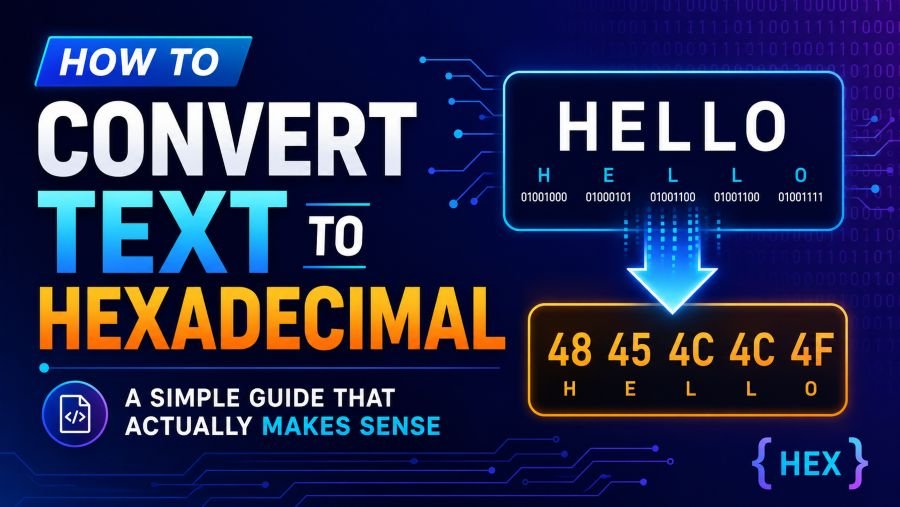
Hello
can be represented in hexadecimal as:
48 65 6C 6C 6F
That might look strange at first, but each pair of hex characters represents one byte of data. So instead of reading a long binary string, you get compact byte values that are easier to inspect, copy, debug, and transmit.
Why Convert Text to Hexadecimal?
Text-to-hex conversion is useful whenever you need to see or send the exact byte values behind a piece of text.
This matters in real-world work more often than many people expect.
Developers use hexadecimal when debugging APIs, encoding strings, checking payloads, or working with protocols. Network engineers use it when inspecting packets or analyzing low-level data. Hardware and embedded system developers use it when sending instructions to microcontrollers or serial devices. Cybersecurity professionals use it when analyzing memory, malware samples, encoded data, or suspicious payloads.
Even a simple space, tab, emoji, or line break can change how data behaves. Hexadecimal helps you see those invisible details clearly.
That is why text-to-hex conversion is not just about changing one format into another. It is about understanding exactly what your system is reading.
How Text to Hexadecimal Conversion Works
When you type a character, your computer does not store the visual shape of that character. It stores a number.
For example:
A
has the ASCII decimal value:
65
In hexadecimal, decimal 65 becomes:
41
So the text:
A
becomes:
41
Another example:
k
has the decimal value:
107
In hexadecimal, that becomes:
6B
So when you convert text to hexadecimal, the process is basically this:
- The computer reads each character.
- It finds the numeric value for that character based on the selected encoding.
- It converts that number into hexadecimal.
- It outputs the result as hex pairs.
That is the simple version. The part that gets tricky is encoding.
ASCII vs UTF-8: The Part Many People Miss
One of the biggest mistakes people make is assuming that one character always equals one byte.
That is true for many basic English characters in ASCII, but it is not true for everything.
ASCII only covers 128 characters. It works for basic English letters, numbers, and common symbols. So something like this is simple:
Hello
becomes:
48 65 6C 6C 6F
But modern text is bigger than ASCII. We use accented letters, symbols, non-English scripts, emojis, smart quotes, and special characters. These are usually handled with UTF-8.
For example:
café
does not become just four simple one-byte values.
In UTF-8, it becomes:
63 61 66 C3 A9
The first three letters are simple:
c = 63a = 61f = 66
But é takes two bytes in UTF-8:
C3 A9
That is why encoding matters. If your converter assumes ASCII when your text is actually UTF-8, the output can be wrong. Characters may disappear, break, or turn into unexpected values.
For most modern use cases, UTF-8 is the safest default. But if you are working with older systems, strict protocols, hardware devices, or legacy files, always check what encoding is expected.
The Fastest Way to Convert Text to Hexadecimal
If you need a quick conversion, the easiest method is to use an online text-to-hex tool.
For example, Toolversal offers a simple <a href="https://toolversal.com/tools/text-to-hexadecimal">Text to Hexadecimal converter</a> that lets you paste your text and instantly get hexadecimal output. It is helpful when you want to test a string, inspect text data, or quickly understand what byte values are behind your input.
This is especially useful when you do not want to open a terminal, write a script, or manually calculate values.
A good online converter should make the process feel simple:
- Paste your text.
- Convert it to hex.
- Copy the output.
- Use it wherever you need.
That is the ideal workflow.
However, there is one important rule: avoid pasting sensitive information into random online tools. Do not use online converters for passwords, private keys, API secrets, confidential business data, or production credentials. For sensitive data, use an offline method instead.
Convert Text to Hexadecimal Using the Command Line
If you prefer more control, the command line is one of the most reliable ways to convert text to hexadecimal.
On Linux or macOS, you can use:
printf '%s' "Hello" | xxd -pOutput:
48656c6c6fIf you want uppercase output:
printf '%s' "Hello" | xxd -p -uOutput:
48656C6C6FThis method is fast, transparent, and works offline. It is a great choice when accuracy matters and you do not want your data passing through a web browser.
On Windows PowerShell, you can use:
$text = "Hello"
[System.Text.Encoding]::UTF8.GetBytes($text) | ForEach-Object { $_.ToString("X2") }
This gives you the UTF-8 byte values in hexadecimal.
Convert Text to Hexadecimal Using Python
Python makes text-to-hex conversion very simple.
text = "Hello"
hex_output = text.encode("utf-8").hex()
print(hex_output)
Output:
48656c6c6fIf you want uppercase:
print(hex_output.upper())Output:
48656C6C6FIf you want spaces between each hex pair:
text = "Hello"
hex_output = text.encode("utf-8").hex()
formatted = " ".join(hex_output[i:i+2] for i in range(0, len(hex_output), 2))
print(formatted)
Output:
48 65 6c 6c 6fPython is a great option when you need to automate conversion, process many strings, or build text-to-hex conversion into a larger workflow.
Convert Text to Hexadecimal Using JavaScript
JavaScript can also convert text to hexadecimal, but you need to be careful with Unicode characters.
A safer UTF-8-based method is:
const text = "Hello";
const encoder = new TextEncoder();
const bytes = encoder.encode(text);

const hex = Array.from(bytes)
  .map(byte => byte.toString(16).padStart(2, "0"))
  .join("");

console.log(hex);
Output:
48656c6c6fThis approach uses TextEncoder, which correctly handles UTF-8. That matters if your text includes emojis, accented characters, or non-English scripts.
Avoid relying only on charCodeAt() for serious byte-level conversion, because JavaScript strings use UTF-16 internally. That can cause problems with characters outside the basic range.
Common Mistakes When Converting Text to Hex
Text-to-hex conversion looks simple, but small mistakes can create big problems. Here are the issues that most often cause confusion.
1. Ignoring Encoding
This is the big one. ASCII and UTF-8 do not behave the same for every character. A converter that works perfectly for Hello might fail with café, বাংলা, or an emoji.
Always know the encoding before you trust the output.
2. Losing Leading Zeros
Each byte should usually appear as two hex characters. For example, decimal 9 should be written as:
09
not:
9
Losing that leading zero can break formatting and make the output harder to parse.
3. Changing Line Endings
Different systems handle line endings differently.
Windows often uses:
0D 0A
Unix/Linux/macOS usually use:
0A
If your converter silently changes line endings, your hex output changes too. This can break checksums, file comparisons, or protocol payloads.
4. Forgetting About Spaces and Tabs
Spaces and tabs are characters too.
A normal space is:
20
A tab is:
09
These characters may look invisible, but they still affect the final hex output.
5. Using the Wrong Output Format
Some systems expect continuous hex:
48656C6C6F
Others expect spaces:
48 65 6C 6C 6F
Some may expect colons:
48:65:6C:6C:6F
The data may be the same, but the formatting can still matter. Always match the format required by the system you are working with.
Where Text-to-Hex Conversion Is Used
Text-to-hexadecimal conversion shows up in more places than most people realize.
Web Development
URLs, APIs, request payloads, cookies, headers, and encoded strings often involve hexadecimal values. Percent encoding, for example, uses hex values to safely represent special characters in URLs.
A space may appear as:
%20
The 20 is the hexadecimal value.
Networking
Network protocols often rely on byte-level data. Hex makes it easier to inspect packets, debug communication errors, and confirm that the right data is being sent.
Embedded Systems
Microcontrollers, sensors, industrial devices, and serial communication tools often use hexadecimal payloads. A single wrong byte can cause a device to reject a command.
Cybersecurity
Security analysts often inspect hex values when analyzing files, payloads, encoded strings, malware samples, or memory dumps.
File Analysis
Hex editors display file contents as hexadecimal so you can inspect data that normal text editors cannot show properly.
How to Check If Your Hex Output Is Correct
The best way to verify a text-to-hex conversion is to reverse it.
- Convert the text to hex.
- Then convert the hex back to text.
- Compare the result with the original.
If the decoded text matches exactly, your conversion is probably correct. If not, there may be an encoding issue, missing byte, changed line ending, or formatting problem.
In Python, you can test it like this:
original = "café"
hex_output = original.encode("utf-8").hex()

decoded = bytes.fromhex(hex_output).decode("utf-8")

print(original == decoded)
Output:
TrueThis simple check can save you from hours of debugging later.