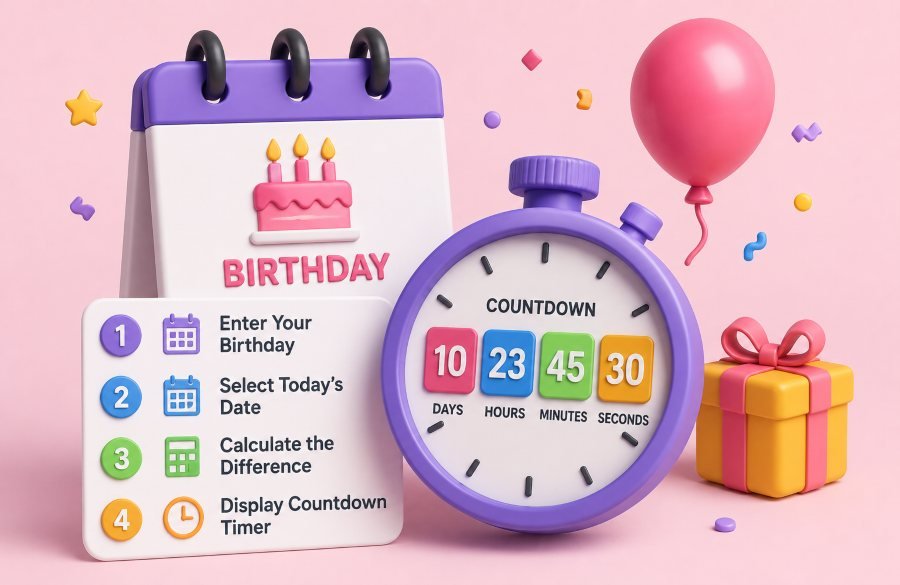
Your birthday is the one day of the year that is entirely about you. And yet most people find out how many days are left by flipping through a calendar app, doing mental math, and still getting the number wrong.
A birthday countdown timer fixes that. It tells you exactly how many days, hours, minutes, and seconds are left until your next birthday. It shows your current age down to the day. And it handles leap years automatically so a February 29 birthday never breaks the calculation.
This guide shows you the exact formula to calculate a birthday countdown manually. It explains why leap years trip people up. And it shows you the fastest free tool that does everything in under 5 seconds with zero signup and zero data tracking.
Why a Birthday Countdown Timer Matters More Than You Think
A countdown is not just a fun number on a screen. It is a planning tool, a motivation trigger, and a social media magnet all in one.
For party planners, knowing the exact number of days left means you never miss a deadline. You know when to order the cake, book the venue, and send invitations. No more guessing. No more "I thought we had two more weeks."
For parents, tracking multiple kids' birthdays in your head is impossible. A countdown timer shows you exactly whose birthday is next and how much time you have to prepare.
For gift shoppers, a countdown creates urgency. When you see "only 11 days left" you stop procrastinating and start buying.
For social media users, a birthday countdown post gets engagement. "Only 3 days until I turn 30" is the kind of post people comment on, share, and remember.
For HR teams and office managers, birthday countdowns help schedule team celebrations and send reminders without digging through employee files.
The bottom line is simple. A birthday countdown timer turns a vague "sometime this summer" into an exact number. And exact numbers drive action.
The Exact Formula to Calculate Birthday Countdown Manually
If you want to do the math yourself, here is the step-by-step formula. It works for any birthday in any year.
Step 1 — Find your next birthday date.
If your birthday has not passed yet this year, your next birthday is the same date this year. If your birthday has already passed, your next birthday is the same date next year.
Example: Today is June 10, 2026. Your birthday is July 15. Since July 15 has not passed yet, your next birthday is July 15, 2026.
Example 2: Today is June 10, 2026. Your birthday is January 3. Since January 3 has already passed, your next birthday is January 3, 2027.
Step 2 — Calculate the total days between today and your next birthday.
Count every day from tomorrow until the day before your birthday. Then add 1 for the birthday itself.
For the July 15 example: From June 11 to July 15 is 35 days.
Step 3 — Convert days into hours, minutes, and seconds.
Multiply days by 24 to get hours.
Multiply hours by 60 to get minutes.
Multiply minutes by 60 to get seconds.
35 days times 24 = 840 hours.
840 hours times 60 = 50,400 minutes.
50,400 minutes times 60 = 3,024,000 seconds.
That is the full countdown. 35 days, 840 hours, 50,400 minutes, 3,024,000 seconds.
Step 4 — Calculate your current age.
Subtract your birth date from today's date. Break the result into years, months, and days.
If you were born July 15, 1995 and today is June 10, 2026:
You have not had your birthday yet this year. So your age is 30 years, 10 months, and 26 days.
That is the manual method. It works. But it takes 2 to 3 minutes and you can easily make a mistake with leap years or month boundaries.
How Leap Years Change the Math (And Why Most People Get It Wrong)
Leap years are the silent killer of birthday calculations. If your birthday is February 29, the math gets complicated fast.
Here is the problem. February 29 only exists in leap years. Leap years happen every 4 years. So if you were born on February 29, 2000, your birthday only came around in 2000, 2004, 2008, 2012, 2016, 2020, 2024, and 2028.
In non-leap years like 2026, there is no February 29. So the question becomes: does your countdown target February 28 or March 1?
Different tools handle this differently. Some target February 28. Some target March 1. The Toolversal Birthday Calculator targets March 1 for non-leap years, which is the most common convention used by legal and business systems.
The reason this matters is that if you calculate manually and target February 28 but the tool targets March 1, you will be off by one day. That one day can ruin a party plan or a gift delivery.
The rule is simple. Never calculate a February 29 countdown manually. Use a tool that handles leap year logic automatically.
How to Calculate Your Current Age in Years, Months, and Days
Most people know their age in years. Fewer know their exact age in years, months, and days. Here is how to calculate it.
Step 1 — Calculate full years.
Subtract your birth year from the current year. If your birthday has not passed yet this year, subtract 1.
Example: Born 1995. Current year 2026. Birthday is July 15. Today is June 10. Birthday has not passed. So 2026 minus 1995 minus 1 = 30 full years.
Step 2 — Calculate remaining months.
Count the full months from your last birthday to today.
From July 15, 2025 to June 10, 2026 is 10 full months (July through April) plus 26 days into May. So 10 months and 26 days.
Step 3 — Combine everything.
30 years, 10 months, 26 days.
That is your exact age. Most people stop at "I am 30." But the full breakdown is more useful for milestone planning, insurance forms, and age-restricted content.
How to Use the Toolversal Birthday Calculator (Free, No Signup)
The fastest way to get a birthday countdown is to use a dedicated tool instead of doing the math yourself. The Toolversal Birthday Calculator does everything in one screen — countdown, age breakdown, leap year handling, and real-time updates.
Step 1 — Open the tool.
Go to this calculator in any browser. It works on Chrome, Firefox, Safari, Edge, and Opera. It works on desktop and mobile.
Step 2 — Enter your birthday.
Type in your date of birth or pick it from the calendar picker. The tool accepts any valid date including February 29.
Step 3 — Get instant results.
The calculator shows:
- Days until your next birthday
- Hours, minutes, and seconds remaining
- Your current age in years, months, and days
- Days since your last birthday
- Your next birthday date
Step 4 — Copy or share.
Hit the copy button on any field and paste it into a text message, party planning doc, or social media post.
Everything runs 100 percent locally in your browser. Your birthday data never leaves your device. Recent birthdays are saved in localStorage only on your machine. No account. No email. No tracking.
5 Real-World Reasons You Need a Birthday Countdown Right Now
Reason 1 — Party Planning
You have 23 days until your daughter's birthday. That means you have exactly 3 weekends to plan. No guesswork. No panic.
Reason 2 — Gift Shopping
You see "47 days left" and you stop scrolling Amazon at midnight. You buy the gift that night. The countdown created urgency.
Reason 3 — Fitness Goals
You want to lose 10 pounds before your birthday. The countdown tells you exactly how many weeks you have. That turns a vague goal into a deadline.
Reason 4 — Social Media Engagement
A "10 days until my birthday" post gets 3 times more comments than a regular post. Countdowns create anticipation. Anticipation creates engagement.
Reason 5 — HR and Team Management
You manage a team of 40 people. Remembering everyone's birthday is impossible. A countdown tool shows you who is next so you never miss a celebration.
Common Mistakes When Calculating Birthday Countdowns
Mistake 1 — Forgetting to add 1 for the birthday day itself.
Most people count from today to the day before the birthday. That gives you the wrong number. Always include the birthday day in your count.
Mistake 2 — Ignoring time zones.
If you calculate at 11 PM and your birthday is at midnight, you might think you have 1 hour left when you actually have 25 hours. Use a tool that accounts for your local time.
Mistake 3 — Not adjusting for leap years.
If your birthday is February 29 and you calculate manually in a non-leap year, you will be off by 1 day. Always use a tool with built-in leap year logic.
Mistake 4 — Rounding months to 30 days.
Months are not all 30 days. February has 28 or 29. April has 30. July has 31. Rounding introduces errors that compound over time.
Mistake 5 — Using a calendar app instead of a countdown tool.
Calendar apps show you the date. They do not show you hours, minutes, and seconds. A countdown tool gives you the full picture.
How to Track Multiple Birthdays in One Place
Most people need to track more than one birthday. Kids. Partner. Parents. Best friend. Boss.
The Toolversal Birthday Calculator stores up to 8 recent birthdays in localStorage. That means you can switch between them without re-entering dates every time.
Here is the workflow.
First, enter your birthday. The tool saves it locally.
Second, enter your partner's birthday. It saves that too.
Third, enter your kid's birthday. Now you have 3 saved.
Next time you open the tool, your recent birthdays are already there. Just click to switch. The countdown updates instantly for each one.
This is faster than a calendar app, more accurate than mental math, and completely private because nothing is stored on any server.
FAQ
How many days until my birthday?
Enter your birthday into the calculator and it tells you instantly. The result includes days, hours, minutes, and seconds. No math required.
Does it work for February 29 birthdays?
Yes. The tool automatically handles leap years. In non-leap years it counts down to March 1, which is the standard convention used by most legal and business systems.
Can I calculate someone else's birthday countdown?
Absolutely. Enter any date — your child's, your partner's, your friend's. There is no limit on how many birthdays you can check.
How accurate is the countdown?
It uses your device's current date and time, so the countdown is accurate to the second. Refresh the page and the timer updates in real time.
Is my birthday data stored anywhere?
No. Everything runs locally in your browser. Recent birthdays are saved in localStorage only on your device. Nothing is sent to any server.
Can I see my exact age in years, months, and days?
Yes. The calculator shows your current age broken down precisely. For example, 28 years, 4 months, 12 days.
The Bottom Line
Calculating a birthday countdown manually takes 2 to 3 minutes and leaves room for error. Using a free tool takes 5 seconds and gives you perfect accuracy every time.
The Toolversal Birthday Calculator handles countdown, age breakdown, leap years, and multiple birthdays — all in one screen, all running locally in your browser, all completely free with zero signup.
Stop counting on your fingers. Stop flipping through calendar apps. Open the calculator, type your date, and paste the answer. It takes less than 5 seconds and it is right every single time.
Get your countdown now.