Look, I'm going to level with you right from the start.
Most articles about text-to-speech technology read like someone copy-pasted a Wikipedia entry and called it a day. They're stuffed with technical jargon that makes your eyes glaze over, or they're so oversimplified that you learn absolutely nothing useful.
This isn't going to be one of those articles.
I spent time actually researching how ERIC text-to-speech works—not just skimming the surface, but digging into what makes this particular voice synthesis technology tick. And here's what I found: it's actually pretty damn interesting once you cut through the BS.
So whether you're a content creator looking to add voice to your videos, a developer building accessibility features, or just someone curious about why synthetic voices have suddenly stopped sounding like murderous robots, this is for you.
What the Hell is ERIC Text-to-Speech Anyway?
Before we dive into the mechanics, let's get on the same page about what we're talking about.
ERIC is a specific voice profile in text-to-speech (TTS) technology. It's not a company or a proprietary system—it's a voice character, typically male, that's been developed to sound natural, clear, and human-like when converting written text into spoken audio.
Think of it like this: text-to-speech is the technology (the engine), and ERIC is the personality (the voice). It's the same way Spotify is the platform, but "Chill Vibes" is the playlist.
The ERIC voice has become particularly popular because it strikes a balance that's hard to achieve in synthetic speech: it's professional enough for business applications, natural enough for content creation, and clear enough for accessibility purposes.
And here's the kicker—you can use it completely free with tools like Toolversal's Eric Text-to-Speech generator. No credit card, no trial period that mysteriously ends when you've gotten used to it, no bullshit.
The Technical Stuff (Don't Worry, I'll Make It Simple)
Alright, let's talk about how this actually works under the hood.
The Three-Stage Process
ERIC text-to-speech, like most modern TTS systems, operates through three fundamental stages:
1. Text Analysis (The Brain Work)
When you input text, the system doesn't just immediately start making sounds. That would be chaos. Instead, it first analyzes what you've written.
The software looks at:
- Individual words and their linguistic structure
- Punctuation marks (because "Let's eat, Grandma" and "Let's eat Grandma" are very different sentences)
- Context clues to understand meaning
- Sentence structure and syntax
This stage is called Natural Language Processing (NLP). The system breaks your text into phonemes—the smallest units of sound in speech. Think of phonemes as the individual LEGO blocks that will eventually build complete words.
2. Prosody Generation (The Personality Injection)
This is where things get interesting.
Prosody is basically the rhythm, stress, and intonation of speech. It's what makes the difference between someone who sounds like they're reading a grocery list and someone who sounds like they're actually communicating.
The ERIC voice system applies prosodic rules that determine:
- Which syllables get emphasized
- Where natural pauses should occur
- How pitch should rise and fall
- The overall pace and rhythm of speech
This is the stage that separates good TTS from garbage TTS. Early text-to-speech systems completely sucked at this, which is why they sounded so robotic. Modern systems like ERIC use machine learning models trained on thousands of hours of human speech to get this right.
3. Speech Synthesis (Making Actual Sound)
Finally, the system generates the actual audio waveform that you hear.
Modern ERIC TTS typically uses one of two approaches:
Concatenative synthesis stitches together pre-recorded samples of speech. Imagine having recordings of every possible sound combination, then playing them back in sequence. It's like making a ransom note from magazine letters, except with sound.
Parametric synthesis (more commonly neural TTS) actually generates the speech from scratch using deep learning models. This is what the cutting-edge systems use, and it's why modern synthetic voices sound so much better than those creepy GPS voices from 2005.
The ERIC voice you'll find on Toolversal likely uses neural synthesis, which is why it sounds remarkably human compared to older systems.
Why ERIC Specifically? What Makes This Voice Different?
Good question. There are hundreds of TTS voices out there—Siri, Alexa, Google Assistant, and countless others. So what's the deal with ERIC?
The Goldilocks Voice
ERIC occupies what I call the "Goldilocks zone" of synthetic voices.
It's not too deep and authoritative (like some corporate narration voices that sound like they're about to sell you insurance). It's not too casual or young-sounding (like some AI assistants that sound like they're perpetually excited about literally everything).
It's right in the middle—professional, clear, trustworthy, but also approachable.
This makes it incredibly versatile:
- YouTube creators use it for voiceovers
- Educators use it for e-learning content
- Developers use it for app notifications
- Content marketers use it for video advertisements
- People with visual impairments use it for accessibility
The Clarity Factor
ERIC was designed with clarity as a priority. Every phoneme is pronounced distinctly, making it easier to understand even at faster playback speeds or in noisy environments.
This isn't an accident. The voice model was likely trained on speech data specifically selected for its clarity and articulation. The result is a voice that doesn't mumble, doesn't slur words together, and maintains intelligibility even when the text gets complicated.
Emotional Range (Yes, Really)
Modern implementations of the ERIC voice include variations in emotional tone. While it's not going to win an Oscar for its dramatic performance, it can convey:
- Professional neutrality
- Slight enthusiasm
- Calm reassurance
- Instructional clarity
The ERIC voice tool on Toolversal lets you generate speech that doesn't sound monotone and dead inside—which is more than I can say for some humans I know.
The Machine Learning Magic Behind Modern ERIC TTS
Here's where we get into the really cool stuff.
Older text-to-speech systems relied heavily on rules. Programmers would manually code instructions like "if you see this letter combination, make this sound." It worked, but it was limited and sounded artificial.
Modern ERIC TTS systems use deep learning—specifically, neural networks that have been trained on massive datasets of human speech.
How the Training Works
Imagine teaching a system to speak by having it listen to thousands of hours of a human voice. The neural network learns:
- How humans naturally transition between sounds
- The subtle variations in pitch and tone that make speech sound natural
- How context affects pronunciation (like "read" in "I read books" vs. "I read that book yesterday")
- Emotional coloring and emphasis patterns
The ERIC voice model was trained this way. The neural network essentially learned to mimic human speech patterns so well that the output sounds remarkably human.
WaveNet and Tacotron: The Power Duo
Without getting too deep in the weeds, most modern TTS systems (including those that power ERIC voices) use architectures like:
Tacotron - Converts text to spectrograms (visual representations of sound)
WaveNet - Converts those spectrograms into actual audio waveforms
Together, these create speech that's almost indistinguishable from human voices in many contexts.
The beauty of using a tool like Toolversal's ERIC TTS is that you don't need to understand any of this technical stuff. The complexity is handled behind the scenes, and you just get high-quality voice output.
Practical Applications: When and Why You'd Actually Use This
Let's get real for a minute. Understanding how something works is cool, but what actually matters is whether it's useful.
So when would you actually use ERIC text-to-speech?
Content Creation (The Obvious One)
If you're creating content—videos, podcasts, tutorials—ERIC TTS gives you a professional voiceover without the hassle of:
- Recording your own voice (which you probably hate hearing anyway)
- Hiring a voice actor (expensive and time-consuming)
- Re-recording when you make mistakes (because you will make mistakes)
With Toolversal's free ERIC voice generator, you can:
- Type your script
- Generate the audio
- Download it as an MP3
- Drop it into your video editor
Done. No microphone setup, no acoustic treatment of your room, no "um" and "uh" editing.
Accessibility (The Important One)
For people with visual impairments, screen readers with clear, natural voices are essential. The ERIC voice provides:
- High intelligibility
- Natural pacing
- Clear pronunciation of technical terms
This isn't just a nice-to-have. This is about making digital content accessible to everyone.
E-Learning and Training (The Practical One)
If you're creating educational content or training materials, consistent narration matters. Human voice actors might pronounce things differently across recordings, get tired, or simply be unavailable for updates.
ERIC TTS gives you:
- Consistency across all modules
- Easy updates when content changes
- Cost-effectiveness for long-form content
- Scalability (need 100 lessons narrated? No problem)
App Development (The Technical One)
Developers integrating voice feedback into applications benefit from ERIC because:
- It's clear and understandable
- It doesn't sound jarring or annoying (important for repeated notifications)
- It maintains professionalism
- It's easily implementable
Marketing and Advertising (The Commercial One)
Need a quick voiceover for a social media ad? Product demo? Explainer video?
Traditional routes:
- Hire a voice actor: $100-500+ per project
- Record yourself: Free but sounds amateur
- Use bad TTS: Free but sounds like garbage
ERIC TTS via Toolversal:
- Free
- Professional quality
- Instant turnaround
- Unlimited revisions (because it's literally just typing)
How to Actually Use Toolversal's ERIC Text-to-Speech Tool
Alright, enough theory. Let's talk about the practical stuff.
Using the ERIC TTS tool on Toolversal is stupid simple (in a good way).
The Process
Step 1: Go to https://toolversal.com/tools/eric-text-to-speech
Step 2: Type or paste your text into the input box. This can be anything—a script, a paragraph, a single sentence.
Step 3: Click generate. The system processes your text through all those technical stages we discussed earlier (text analysis, prosody generation, speech synthesis).
Step 4: Listen to the preview. If it sounds good, download it as an MP3. If you want to tweak it, adjust your text and regenerate.
That's it. No account creation, no payment information, no trial limitations.
Tips for Better Results
While ERIC TTS is sophisticated, you can help it produce even better results:
Use proper punctuation. The system uses commas, periods, and other punctuation marks to determine pacing and pauses. "Let's eat grandma" vs. "Let's eat, grandma" matters.
Write how you speak. TTS systems work best with natural language. Instead of "It is important to note that users should," try "Users should note that."
Break up long sentences. While ERIC can handle complex sentences, shorter ones often sound more natural.
Use common words for technical terms. If you have an unusual word or name, consider adding phonetic spelling in parentheses the first time: "Nguyen (pronounced 'win')."
Add emphasis with formatting. Some TTS systems recognize ALL CAPS or italics as emphasis cues. Experiment to see what works.
The Limitations (Because Nothing's Perfect)
Look, I'm not going to blow smoke up your ass and pretend ERIC TTS is perfect. It's not.
What It Struggles With
Heavy emotional content: If you need someone to sound devastated, overjoyed, or sarcastically bitter, a human voice actor is still your best bet. ERIC can handle mild emotional variation, but it's not winning any acting awards.
Complex pronunciations: Unusual names, technical jargon, and words from other languages sometimes get butchered. You can work around this, but it's an extra step.
Perfect naturalness: While modern TTS is impressive, trained ears can still detect that it's synthetic. For most applications this doesn't matter, but if you're creating content where authenticity is critical, it might.
Contextual understanding: The system doesn't fully understand meaning. It might stress the wrong word in a sentence or miss subtle nuances that affect how something should be read.
When to Use Human Voices Instead
There are times when you should skip TTS and use a real human:
- High-budget productions where brand voice is critical
- Content requiring genuine emotional connection
- When your audience specifically values authenticity
- Legal or medical content where liability is a concern
But for 80% of use cases? ERIC TTS via Toolversal is more than good enough.
The Future of Text-to-Speech (And Why It Matters)
Here's the thing about technology: it only gets better.
The ERIC voice you can use today is orders of magnitude better than TTS from even five years ago. And it's going to keep improving.
What's Coming
More emotional range: Future versions will better capture nuanced emotions and speaking styles.
Better contextual understanding: AI systems are getting better at understanding meaning, not just words, which will improve delivery.
Voice cloning: Technology that can replicate any voice from a small sample is already here. Ethical and legal frameworks are still catching up, but the capability exists.
Real-time applications: We're moving toward systems that can generate natural speech with zero latency, enabling real-time conversations with AI.
Multilingual seamless switching: Future TTS will handle multiple languages in the same sentence without the awkward transitions current systems have.
Why This Matters to You
Whether you're a content creator, developer, educator, or just someone who wants to turn text into speech occasionally, these improvements mean:
- Better quality at lower (or zero) cost
- More accessibility for everyone
- Greater creative possibilities
- Reduced barriers to content creation
The fact that tools like Toolversal's ERIC TTS make this technology free and accessible means you can experiment, create, and innovate without financial barriers.
The Bottom Line
So, how does ERIC text-to-speech work?
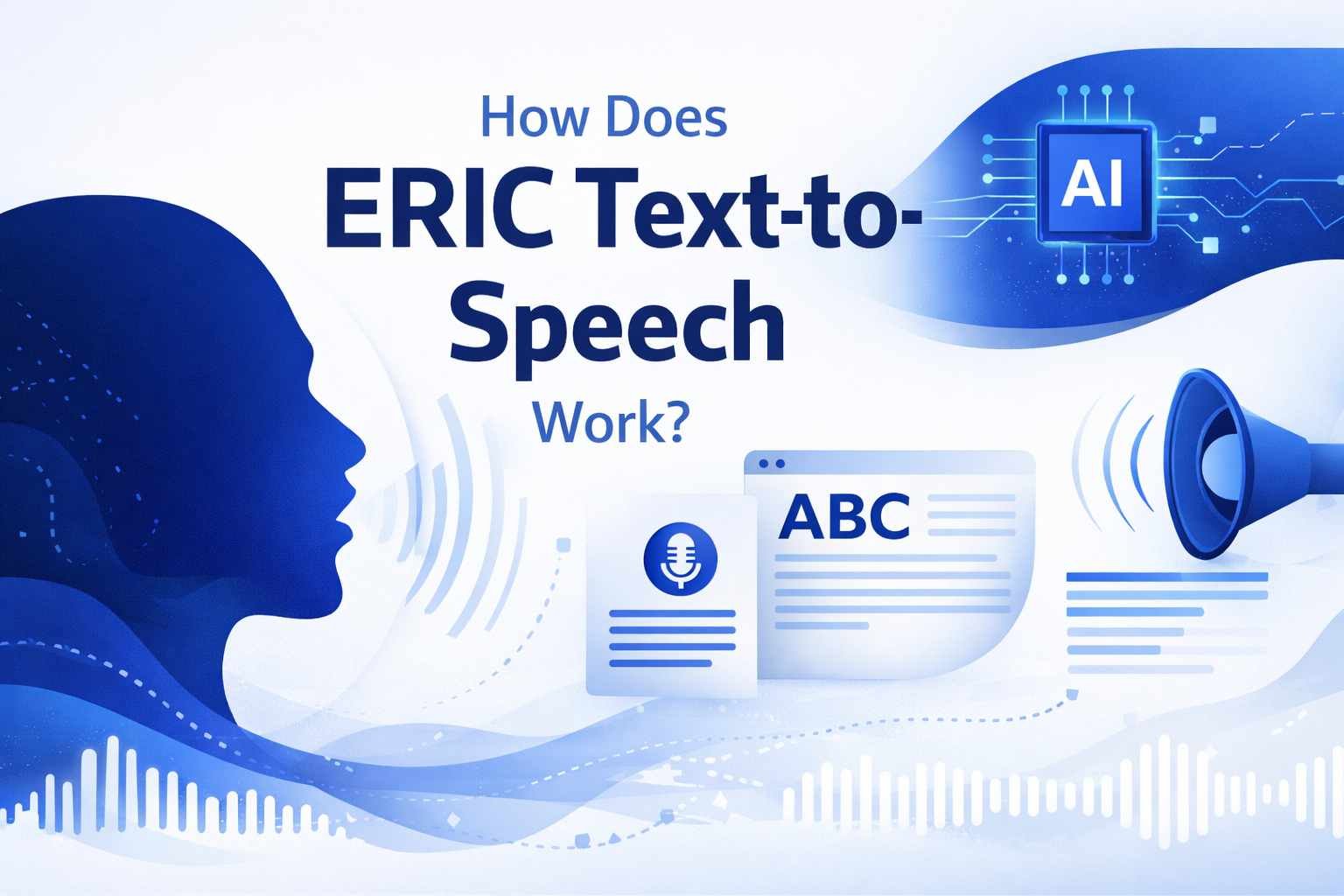
It takes your text, breaks it down into linguistic components, applies natural speech patterns, and synthesizes audio using deep learning models trained on human speech. It does all of this in seconds, producing a clear, professional voice that's suitable for a wide range of applications.
But here's what really matters: it works well enough that you can use it right now for real projects. It's not some futuristic technology that's always five years away. It's here, it's free on Toolversal, and it's actually useful.
Is it perfect? No. Will it replace human voice actors in all situations? Also no.
But will it save you time, money, and headaches on 80% of projects where you need voiceover? Absolutely.
The best part is that you don't need to be a technical expert to use it. You don't need to understand neural networks, phoneme mapping, or prosody generation. You just need text and the willingness to try it out.
So stop reading about it and actually use it. Go to Toolversal's ERIC Text-to-Speech tool, type something in, and hear the results for yourself. It takes literally 30 seconds.
Because at the end of the day, the best way to understand how something works isn't reading about it—it's actually using it.
And unlike most things in life, this one's completely free, requires zero commitment, and might actually solve a real problem you have.
Frequently Asked Questions
Can I use ERIC TTS for commercial projects?
Generally, yes, but always check the specific terms of the tool you're using. Toolversal's implementation is designed to be accessible for various use cases, but review their terms for commercial applications.
How does ERIC compare to other TTS voices?
ERIC occupies a middle ground—professional and clear without being overly formal or artificial. It's particularly good for educational content, explainer videos, and professional applications.
Can I adjust the speed or pitch?
This depends on the specific implementation. Many TTS tools, including those on platforms like Toolversal, offer basic customization options.
Is the generated audio copyright-free?
Typically, audio generated from TTS tools is yours to use, but always verify the specific license terms. The text you input should be your own or properly licensed.
How long can my text input be?
This varies by tool. Most free tools have reasonable limits to prevent abuse. For very long content, you might need to process it in sections.