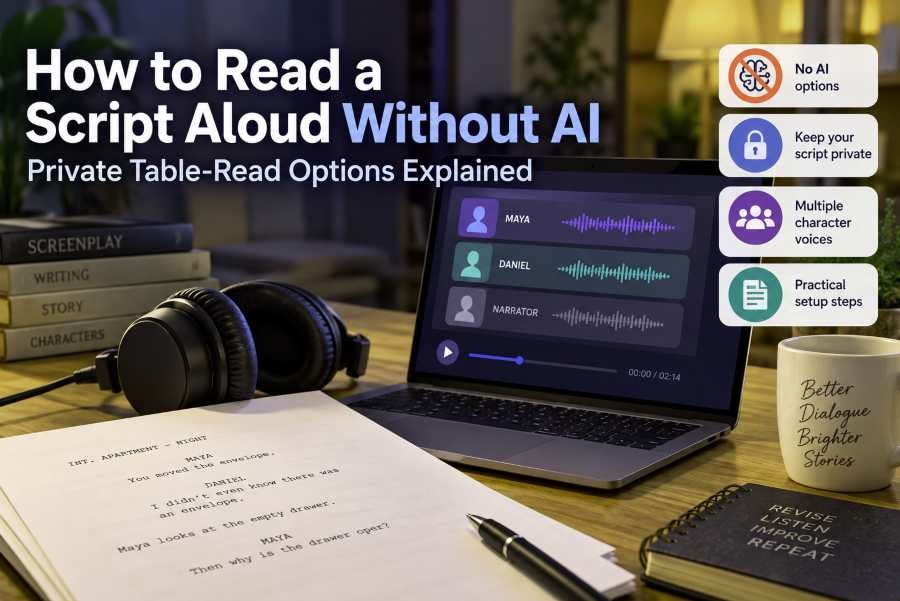
You can listen to a screenplay or dialogue-heavy script without sending it to a cloud AI voice service. The important part is deciding what “without AI” actually means for you. If you want to avoid neural or AI-generated speech entirely, you need a documented classic speech synthesizer or human readers. If your main concern is keeping an unpublished script off external servers, local text-to-speech can also work, although a local voice may still use neural technology.
That distinction matters because private, local, and non-AI do not mean the same thing. A tool can process everything on your device while still using an AI voice. Another tool can use older formant-based speech synthesis that is clearly outside modern neural voice generation. A third can send your text to a remote service even though the interface runs inside a browser.
TL;DR
-
If you want strictly no AI, look for a speech engine whose synthesis method is documented as non-neural, such as classic formant synthesis.
-
If your main concern is not uploading your screenplay, look for explicit on-device or local-processing documentation.
-
If you want automatic character detection and polished multi-character voices, many modern table-read tools rely on neural or cloud speech services.
-
If your chosen non-AI reader does not understand screenplay formatting, create a separate listening copy and divide the dialogue into character-specific blocks.
First Decide What “Without AI” Means for Your Script
A writer searching for non-AI text-to-speech can be trying to solve two very different problems.
One concern is technical: “I do not want an AI or neural voice generating the speech.” In that case, keeping the text on your computer is not enough. You also need to know how the speech itself is synthesized.
The other concern is privacy: “I do not want my unpublished screenplay uploaded to an AI company or external cloud service.” A system that performs neural speech synthesis locally could satisfy that requirement even though the voice technology is still AI.
Separating those concerns early makes the rest of the decision much easier.
If you want no neural or AI speech generation
Classic text-to-speech existed long before modern neural voice models. One example is eSpeak NG, an open-source speech synthesizer whose documentation describes formant synthesis and Klatt formant synthesis support. Read the eSpeak NG technical documentation
Rather than relying on a modern neural model to create highly natural speech, formant synthesis generates speech by modeling acoustic properties associated with human speech. The practical tradeoff is naturalness. A classic synthesizer may sound noticeably more mechanical than current neural systems, but that does not automatically make it unsuitable for script review.
If your goal is to hear wording, pacing, repetitions, or dialogue structure, realism may be less important than it would be for a finished voiceover.
A classic speech engine also should not be confused with a complete table-read application. It can turn text into speech, but screenplay parsing, character detection, narrator handling, and automatic casting are separate software features.
If you mainly want to keep your script off the cloud
Processing location is a different question.
The Web Speech API, for example, exposes a localService property that indicates whether a voice is provided through a local or remote speech synthesizer. MDN documents this distinction, but it does not classify a locally supplied voice as automatically non-neural or non-AI. See MDN's explanation of local and remote speech voices
This gives us a useful way to think about script-reading options:
-
A local classic synthesizer can potentially satisfy both a strict no-AI requirement and a local-processing requirement.
-
A local neural synthesizer may satisfy a privacy requirement while failing a strict no-AI requirement.
-
A remote neural synthesizer may fail both requirements if your concern is avoiding AI and keeping the text local.
That is why terms such as offline, local, and private should not automatically be translated into non-AI.
What a Non-AI Table Read Can Realistically Do
Basic text-to-speech and a full screenplay table read are not the same thing.
A generic TTS engine receives text and speaks it. It may let you change the voice, pitch, speed, or language, but it does not necessarily understand that MAYA is a character name, that the following lines are Maya's dialogue, and that an action paragraph should be handled differently.
A screenplay-aware table-read application handles more of that structure for you.
For example, Arc Studio's Table Read lets users choose which script elements are vocalized and assign voices to speaking characters. Its current documentation also states that Table Read voices are supplied through ElevenLabs or Murf. Read Arc Studio's Table Read documentation
A current Scriptation guide to listening to scripts shows the wider category of screenplay-reading tools, including products focused on character voices, script playback, and automated reading workflows. See Scriptation's script-listening overview
That convenience matters because automatic character recognition removes manual preparation.
But if your requirement is strictly no neural or AI speech, you may need to give up some of that automation. The tools reviewed for this article did not establish a simple mainstream option that combines all of these at once: automatic screenplay parsing, several natural character voices, minimal setup, and a verifiable strict non-AI synthesis method.
The practical alternative is to separate the two jobs:
You prepare the screenplay structure. The speech engine reads the prepared text.
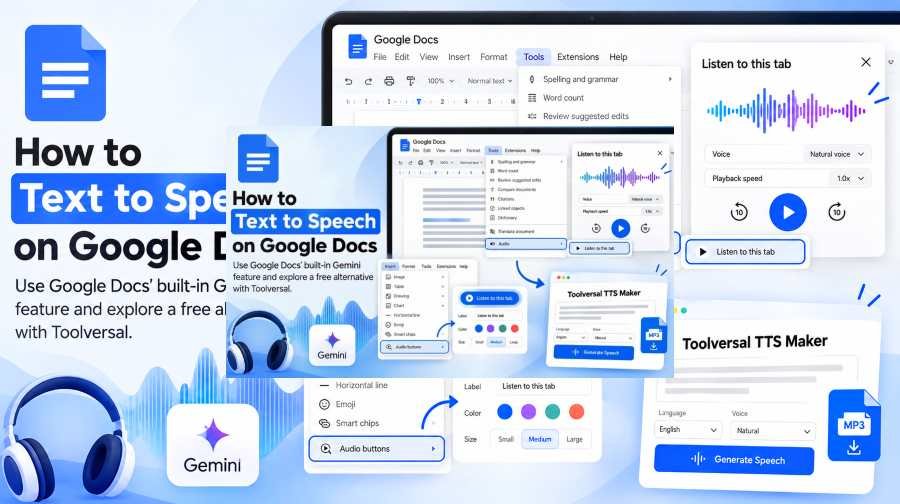
If your broader goal is simply learning how documents can be converted into spoken audio, Toolversal also has a practical guide on how to use text-to-speech with Google Docs. Read Toolversal's Google Docs text-to-speech guide
Choose the Right Method for Your Actual Requirement
There is no single correct setup because the requirements conflict. Start with the condition you are least willing to compromise.
Option 1: Use documented classic synthesis when you want strictly no AI
If avoiding neural speech itself is the priority, choose a speech engine whose architecture is actually documented.
eSpeak NG is useful as an example because its documentation does not merely advertise the software as “offline” or “private.” It describes the synthesis method itself, including formant and Klatt formant synthesis. Review the eSpeak NG synthesis documentation
That gives a writer a stronger basis for classifying the technology than a generic “runs on your device” claim.
The limitation is equally important: eSpeak NG is a speech synthesizer, not a polished screenplay table-read platform. A writer may need to clean the script, separate characters manually, and configure available voices or variants rather than expecting the software to cast the screenplay automatically.
For strict non-AI use, verify the exact engine and configuration you plan to use rather than assuming every voice available through a program has the same synthesis method.
Option 2: Use a local script reader when privacy matters more than AI architecture
If your real concern is protecting an unpublished script from cloud processing, the available options become broader.
The tableread app states that its text-to-speech processing takes place locally on the user's device rather than uploading scripts for cloud processing. It is specifically designed around screenplays, stage plays, and related scripts. See tableread's privacy and table-read features
That is meaningful evidence for a local-processing requirement.
It is not evidence that every native voice made available by a phone or operating system uses old-fashioned non-AI synthesis. The application's privacy architecture and the architecture of a device voice are separate questions.
So tableread may be relevant if your requirement is:
“Keep my screenplay on my device.”
It should not automatically be classified as the answer to:
“Never use neural or AI speech technology.”
Option 3: Use a modern table-read service when automation matters most
Writers who prioritize convenience may reach the opposite decision.
Arc Studio can identify speaking characters, provide narration for non-dialogue material, let users choose which screenplay elements should be spoken, and assign different voices to characters. Its current documentation says those voices are provided through ElevenLabs or Murf. Explore Arc Studio Table Read
That substantially reduces manual preparation.
The tradeoff is straightforward: this is not the route for someone requiring strict non-AI synthesis.
This does not make modern AI table-read tools inherently better or worse. It simply places them in a different category. A writer who initially searched for “no AI” because of privacy concerns may find local processing more important than the underlying voice architecture. Someone avoiding AI technology categorically will reach a different decision.
Option 4: Use human readers when the no-AI requirement is absolute
A real table read remains the clearest option when you want human interpretation without synthetic speech.
It is especially relevant when performance decisions matter: pauses, emotional intention, interruption, character chemistry, and how different people interpret the same line. The cost is coordination. You need available readers rather than software that starts immediately.
For an early dialogue pass, that may be unnecessary. For an important revision or rehearsal, human readers can provide information a synthetic reader was never designed to supply.
A Practical Way to Choose Your Setup
Instead of asking, “Which table-read tool is best?”, work through the requirements in order.
-
Must the speech itself be non-AI?
If yes, begin with a documented classic synthesis engine or human readers. Do not use “local” as sufficient evidence. -
Is your real concern that the script must not leave your device?
If yes, look for explicit first-party documentation about local processing. A local neural voice may still fit your requirement. -
Do you need the software to understand screenplay formatting automatically?
If yes, dedicated script-reading software will save preparation time, but verify how its voices are generated and where processing occurs. -
Do you need several characters to sound clearly different?
Check whether the selected speech engine provides multiple voices or configurable variants. If it does not, one neutral voice can still be useful for dialogue review, but it will not sound like a cast performance. -
Are you trying to revise the screenplay or produce finished audio?
Those are different jobs. A mechanical voice can still expose awkward wording during revision. Finished entertainment audio places much more importance on performance and naturalness.
This requirement-first approach prevents a polished feature list from deciding the question for you.
How to Prepare a Script for Text-to-Speech
Generic TTS works better when you give it a listening copy rather than expecting it to interpret production formatting on its own.
Keep the original screenplay untouched. Make a duplicate specifically for listening, then simplify that duplicate according to what you want to evaluate.
Step 1: Make a separate listening copy
Do not rewrite your working screenplay merely to make a speech synthesizer behave better.
Duplicate the relevant scene or script. Changes such as additional punctuation, character separation, or removed formatting can then serve the listening workflow without changing the actual screenplay.
Step 2: Remove material you do not need to hear
A screenplay can contain information that makes sense visually but adds little to a particular listening session.
Depending on your goal, you might remove page numbers, revision markings, headers, production notes, or formatting artifacts.
Do not automatically strip scene headings and action.
If you are evaluating the entire scene, they may provide essential context. If you are concentrating only on dialogue rhythm, hearing every action paragraph may slow down the exchange.
Choose what the reader should speak according to the question you are reviewing.
Step 3: Separate dialogue into character blocks
Consider this fictional example:
Original screenplay-style copy
MAYA
You moved the envelope.DANIEL
I didn't even know there was an envelope.Maya looks at the empty drawer.
MAYA
Then why is the drawer open?
A generic TTS reader could speak that entire block in one voice. You would hear the wording, but the conversational structure would be harder to follow.
For a manual multi-voice workflow, prepare it more like this:
Maya voice:
You moved the envelope.
Daniel voice:
I didn't even know there was an envelope.
Narrator voice:
Maya looks at the empty drawer.
Maya voice:
Then why is the drawer open?
The example is intentionally simple. The purpose is not to change the screenplay. It is to make speaker changes explicit for software that does not understand screenplay syntax.
Step 4: Decide how narration should work
There is no single correct treatment for action lines.
For a full scene review, assign action and scene information to a narrator. This keeps the story comprehensible without forcing one character to read everything.
For dialogue-focused revision, you might remove some action from the listening copy so exchanges happen with fewer interruptions.
For longer scripts, a middle approach often makes sense: retain scene changes and important actions while omitting details that do not affect the spoken exchange you are evaluating.
Step 5: Use punctuation carefully
Text-to-speech systems often respond to commas, periods, question marks, and sentence boundaries when deciding how speech should pause and flow.
If a sentence sounds confusing in your listening copy, first check whether the punctuation accurately represents the line as written. You can experiment in the duplicate copy, but avoid “fixing” the production screenplay purely to manipulate a specific speech engine.
The point of the listening copy is to help you evaluate the writing, not make the script dependent on one synthesizer's quirks.
How to Simulate Several Characters Without an AI Table-Read Service
A manual multi-character read is possible when your chosen synthesis setup provides more than one suitable voice or configurable variant.
The process is straightforward even though it requires more preparation:
-
Separate the dialogue by speaker. Keep each character's lines easy to identify.
-
Assign a voice or voice configuration to each character. If the engine has only a small voice set, modest differences in pitch or speed may help distinguish speakers.
-
Keep narration separate. Action lines and scene information can use a consistent narrator configuration.
-
Play or generate the blocks in script order. The goal is to preserve the conversation rather than create isolated character monologues.
-
Avoid excessive voice effects. Large pitch or speed changes can become distracting. The voices only need to be distinguishable enough for the dialogue to remain easy to follow.
-
Judge the script, not the performance quality. Unless you are producing finished audio, listen for writing problems rather than whether the synthetic cast sounds convincing.
Some general TTS applications demonstrate this type of multi-voice workflow. TTSReader, for example, documents multi-voice functionality and controls for changing voices inside text. See TTSReader's text-to-speech features
However, TTSReader also provides access to different categories of voices, including modern AI offerings. The existence of multi-voice functionality therefore does not establish that every voice available through the platform qualifies as non-AI.
For a strict workflow, classify the actual voice you intend to use rather than the website as a whole.
What to Listen for During the Table Read
Once the script is playing, voice realism should not become the only thing you notice.
A table-read-style pass gives you another way to experience text that you may have read silently many times. Listen for places where the language itself creates friction.
Useful things to notice include:
-
lines that feel cumbersome when spoken;
-
repeated words or constructions that were less obvious on the page;
-
unclear speaker transitions;
-
action passages that interrupt the intended conversational rhythm;
-
exchanges where characters are difficult to distinguish from their wording.
You may notice something as simple as this fictional line:
“I was going to go over there before you went over there because I thought you said we should go there first.”
A speech engine does not prove that the line is badly written. Hearing it simply gives the writer another way to notice the repetition and decide whether it is intentional.
This is also why a robotic voice is not automatically useless for revision. A synthetic reader does not need to deliver a finished dramatic performance to make wording audible.
Current script-listening tools are built around the broader usefulness of hearing screenplay material rather than only reading it visually. See examples in Scriptation's current script-listening guide
When Private AI May Fit Better Than Strictly Non-AI TTS
After working through the distinction, you may discover that you were not actually trying to avoid AI technology.
You may have been trying to avoid giving an unpublished screenplay to an external service.
If that is the real requirement, locally processed neural speech becomes relevant. It can potentially provide more natural delivery while keeping processing on the device, provided the product's current documentation clearly supports that privacy claim.
That option remains AI.
The distinction matters because otherwise two very different requirements get compressed into the phrase “no AI.” A writer who objects to neural synthesis itself should continue using classic synthesis or human readers. A writer whose concern is where the text travels can evaluate local neural tools as a separate category.
If you decide that AI-generated speech itself is acceptable, Toolversal's AI text-to-speech tools belong to this different category. Toolversal explicitly uses neural/AI voices, so it should not be confused with the strict non-AI methods discussed above. Explore Toolversal's text-to-speech tools
For document-based workflows, you can also continue with Toolversal's guide to using text-to-speech with Google Docs. Read the Google Docs TTS guide
Common Questions About Reading Scripts Without AI
Is local text-to-speech automatically non-AI?
No. Local describes where synthesis happens, not necessarily how the speech is generated. MDN's Web Speech API documentation distinguishes local and remote speech services, but that property does not classify a voice as neural or non-neural. Read MDN's localService documentation
Can I use different character voices without AI?
Potentially. A classic synthesizer may provide different voices or configurable voice characteristics, but the available options depend on the engine. For a strict non-AI workflow, verify the architecture of the actual voices you intend to use rather than assuming every voice in an application qualifies.
Is browser text-to-speech private?
Not automatically. A browser interface can use a local or remote speech service. Check the specific voice and the service's documentation rather than assuming browser-based means local.
Is a robotic voice bad for screenplay revision?
Not necessarily. If you are reviewing wording, dialogue flow, repetition, or conversational structure, highly natural performance may not be essential. A synthetic read should be treated as another revision view, not as proof of how actors will perform the scene.
Do I need a dedicated table-read app?
No for basic listening. Generic text-to-speech can read a prepared version of your screenplay. Dedicated table-read software becomes more useful when you want automatic screenplay parsing, character identification, narration handling, and easier multi-voice assignment.
Choose the Constraint Before You Choose the Tool
The simplest way to avoid picking the wrong script reader is to decide what you actually need to protect.
If AI itself is the problem, start with a documented classic synthesizer or human table read.
If uploading your screenplay is the problem, investigate tools that explicitly document local processing, then separately check what type of speech technology they use.
If automation is the priority, screenplay-aware AI table-read products may provide capabilities that generic non-AI speech engines do not.
Once that decision is clear, make a separate listening copy of the script, prepare the dialogue around the capabilities of your chosen reader, and use the resulting audio for what it does well: giving you another way to hear the writing.